
What Our Customers Are Saying
Revolutionising AHU Quotations: How Rubix Simplifies and Speeds Up Your Process
7
Nov
The Challenges of Quoting AHUs
Quoting Air Handling Units (AHUs) can be a daunting task, requiring precise calculations, thorough component selection, and compliance with industry standards. Traditional methods often lead to delays, inefficiencies, and even errors that can impact project timelines and budgets.
Enter Rubix, the Controls Selection Tool by iACS, designed to eliminate these challenges. Rubix streamlines the AHU quotation process with its intuitive interface, automated calculations, and customisation options, ensuring every quote is accurate, professional, and delivered in record time.
Understanding the Pain Points of AHU Quoting
The process of quoting AHUs is often associated with these common issues:
- Manual Complexity: Selecting and sizing components can be labor-intensive and error-prone.
- Repetition: For projects requiring multiple similar units, duplicating work wastes time.
- Delayed Documentation: Preparing branded quotes and technical data sheets can be a bottleneck.
These challenges highlight the need for a solution that can streamline and automate the process while maintaining high standards of accuracy.
Rubix: Your Solution to Quoting Challenges
Rubix transforms the AHU quoting experience by offering:
- Effortless Configuration: Automated algorithms handle complex calculations and sizing.
- Streamlined Adjustments: Duplicate projects and tweak components with ease.
- Professional Outputs: Generate branded quotations and data sheets instantly.
A Step-by-Step Guide to Using Rubix
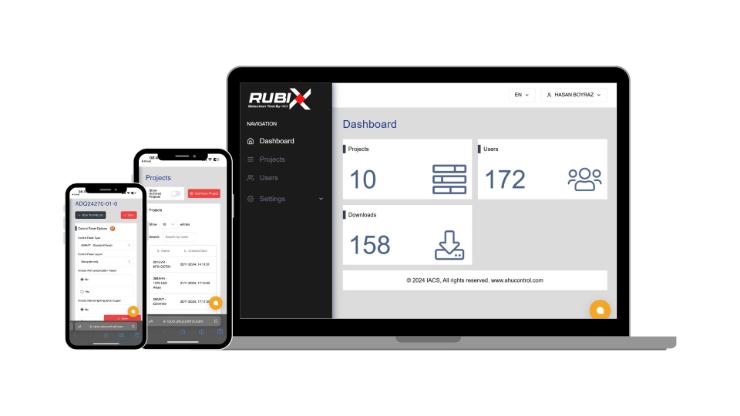
Step 1: Launch Your Project
- Access your projects via the Rubix dashboard.
- Create a new unit by clicking "Add New Unit" and naming your project.
Step 2: Define Initial Parameters
- Select the type of unit (e.g., AHU).
- Choose pre-configured panel options like standard or HTM-compliant panels.
Step 3: Configure Components
- Rubix guides you through each component:
- Filters: Select types and add DP alarms.
- Fans: Specify redundancy and motor types.
- Dampers: Define size and actuator requirements.
- Coils: Configure LPHW, DX, or electric heating and cooling options.
- Humidifiers: Choose isothermal or adiabatic models and add features like humidistats.
- Heat Recovery Systems: Select thermal wheels, plate heat exchangers, or runaround coils.
Step 4: Customise Your Control Panel
- Choose enclosure type, wiring options, and additional features like anti-condensate heaters.
Step 5: Finalise and Export
- Review a detailed summary of costs and configurations.
- Export professional outputs like quotations and data sheets.
Key Features That Set Rubix Apart
1. Time-Saving Duplication
Easily duplicate similar units, making minor adjustments as needed.
2. BMS Compatibility
Select BACnet or Modbus integration for seamless system control.
3. Advanced Functionalities
Include options like fireman’s override or night setback modes for enhanced system performance.
4. Professional Outputs
Generate branded documents with or without pricing for client-facing use.
Time and Accuracy: The Rubix Advantage
Save Time
- Eliminate repetitive tasks with pre-configured defaults.
- Automate calculations for faster results.
Improve Accuracy
- Reduce errors with automated recommendations.
- Ensure compliance with industry standards through built-in configurations.
Increase Client Satisfaction
- Faster quotes and professional outputs create a seamless customer experience, strengthening trust and relationships.
Get Started with Rubix Today
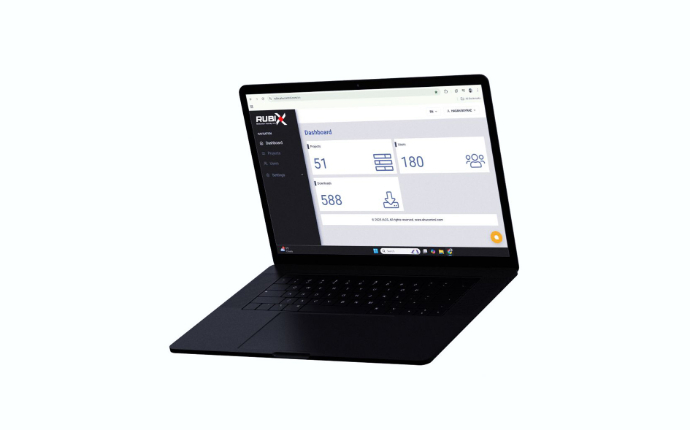
Ready to revolutionise your AHU quoting process? With Rubix, you can save time, enhance accuracy, and deliver exceptional results for your projects.
Visit ahucontrol.com to learn more about Rubix and how it can streamline your AHU quotations. For premium components to build or maintain your system, explore the extensive range at our iACS store today!
Comment(s)
Recent Posts
-
Smart Fan Control with EBM Papst IoT Modules & Gateways — Now Available at iACS
 January 22, 2026
 -
Simplify HVAC Configuration with the Rubix Controls Selection Tool
 December 12, 2025
 -
iACS Partners with EBM Papst: Expanding Our HVAC Parts Catalogue with Innovative Fan Control Solutions
 December 9, 2025
 -
Revolutionising AHU Quoting with Rubix: The Free HVAC Quotation Tool
 December 3, 2025
 -
Optimise Airflow Control with EBM Papst Differential Pressure Sensors at iACS
 November 14, 2025