


What Our Customers Are Saying
SKU
ATC4001AD0
ATC4001AD0 - Carel UAT 24VAC, FLUSH MOUNTING
£151.24
£126.03
On request
Next Supplier Stock Update: 07/06/2026
Manuals & Datasheets
| MANUAL | DATA-SHEET |
 |
|
| Product type | Controller |
| IP rating | IP20 |
| Manufacturer | Carel |
| Power Supply | 24Vac/Vdc |
| Programmable | Displays |
| Display type | th-Tune |
ATC4001AD0 - th-Tune flush mounted display with Built-in Temp Sensor 24Vac supply Type: Wall mounted Power Supply: 24Vac Sensors: Temp th-Tune is the Carel room terminal that, together with the pCO* programmable controller, allows the user the control the temperature and humidity in residential environments. Depending on the model, the terminal is fitted with a temperature probe or temperature and humidity probe, and power supply may be 230 Vac or 24 Vac/Vdc. th-Tune is compatible with the main flush mount distribution boxes available on the market (IT, US, DE, CN). Temperature and humidity set is simple and intuitive, using the knob on the front panel. th-Tune also allows the user to make some settings, such as the operating mode and time bands. The type of control and displays depend exclusively on the controller that th-Tune is connected to. The compact dimensions and elegant design make it suitable for all types of rooms.
Keypad
The meaning of the buttons and the displays may vary according to the controller that th-Tune is connected to. Below is a description of the common settings. If “CN” is shown on the display, it means there is no communication with the electronic controller the terminal is connected to. On power-up, the terminal normally shows “CN” for around 30s, until communication is established. If “Init” is shown at the bottom, the terminal is being initialised by the master controller. If this process lasts more than 10 minutes it means there are communication problems.
|
Button |
Desc . |
Function |
 |
FAN |
Select fan speed: press to select the desired speed (min, med, max) or automatic (Auto) |
 |
CLOCK |
Press briefly: enable/disable the time bands. When enabled the icon comes on. |
 |
POWER |
th-Tune device On/Off; in some menus pressing the button briefly is the same as choosing ESC. |
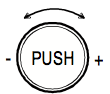 |
Knob |
Turn the knob to set the value and press to confirm |
Accessing the special menu: MODE + CLOCK for 3s to access the alarms menu, active only if the icon is on. The alarms displayed depend on the electronic controller that th-Tune is connected to. To access the parameters menu, press FAN and POWER together for 3s. Different passwords can be entered to access different menus.
Psw 22 accesses the th-Tune parameters menu, which includes “ADDR” for setting the serial address:
- “Baud” for setting the baud rate (“0”= 4800 bps, “1”= 9600 bps,
“2”= 19200 bps);
- “Pcal” for calibrating the probe.
Technical specifications
Power supply: Models ATA*******: 230 Vac (+10/-15%) 50/60 Hz Models ATC*******: 24 Vac (+10 to -15%), 22 to 35 Vdc Maximum current: 2 VA
Operating conditions: -10T60 °C, 10 to 90% rH non-cond. Storage conditions: -20T70 °C, 10 to 90% rH non-cond. Environmental pollution: 2
PTI of insulating materials: PCB: from 175 to 249; insulation material: PTI 275
Software class and structure: A
Index of protection of the case: IP20
Category of resistance to heat and fire: D
Classification according to protection against electric shock: to be integrated into class 1 or 2 appliances
Period of electrical stress across the insulating parts: long Immunity against voltage surges: category II
Precision of temperature measurement: range 0T40 °C: ±1 °C; over: ±1.5 °C
Precision of humidity measurement: range 0T60 °C, 20 to 80% rH: ±5% rH
| MANUAL | DATA-SHEET | BROCHURE |
|
|
|